
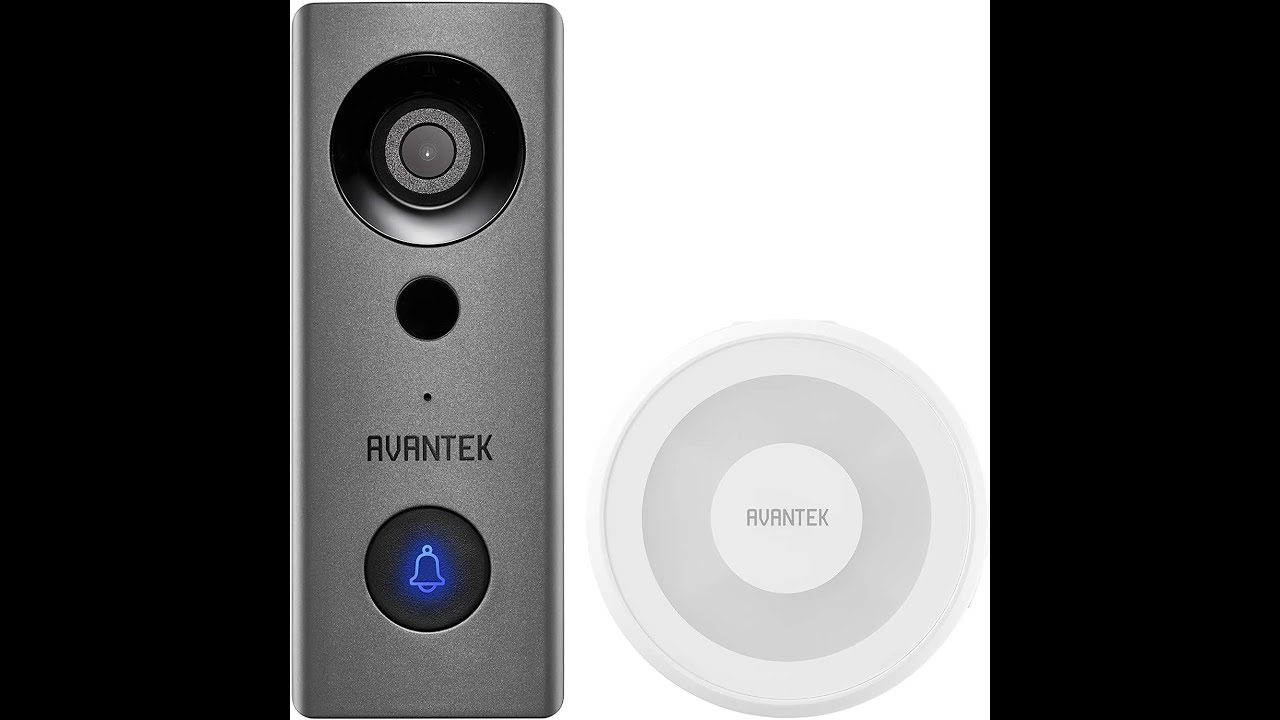
I do like that this one has constant power and doesn’t have to wake up before seeing anything like my current one does, and I don’t have to watch the batteries and recharge it when low. You can wire this directly into your current doorbell wires or if you don’t have any doorbell wires, you can wire it to a battery pack and charge it that way.
The chime on this one actually works, again not like my last one. There are 58 different chimes (way too many for me) if you like to always change them or play holiday-themed ones during the holidays?
Like most video doorbells, this one has two-way talk if you want or need to talk to the person on the other side. I just like to see someone is there and see what they are up to. Usually, it is all the delivery people showing up at my house. The video on this is great at 1080p and there is no lag when watching the video on my phone.
They do have cloud storage if you really want it and want to pay for it or you can buy and insert up to a 128 GB SD card into this and store them locally, that you can still view on your phone when needed. It will also overwrite the oldest videos when it runs out of room or it will warn you that it is getting full and you can format it and clear the SD card and start over again.
This one is also IP65 rated, so it can take the weather as well and it works with Alexa or Google if you want to watch the video on the screen if you have an echo show and if you set up the skill to do so.
Overall, a great video doorbell that has great video and options.
Found on Amazon: https://amzn.to/3ss6QQd
As an Amazon Associate, I earn from qualifying purchases.



Thanks for the informative video🤙
How do you know which cable goes where? For the clip, the manual explains, red cable with red clip, and black cable with blue clip. However, in the back of the unit, which one goes where?
It doesn’t matter. The pressing of the doorbell just completes the circuit.
I thank God that you did this video, the only one that I have found and got mine working. I truly wish that you would do one on the app settings. I do not get the video recordings, just snapshots! I have been corresponding with the “?company” and I have sent numerous photos to show them. PLEASE do a video on the settings in the app! PLEASE!
Hi there, I’m a manufacturer of wireless doorbell and wondering if you’re interested to review and unboxing our product.
I can’t get my doorbell to connect