
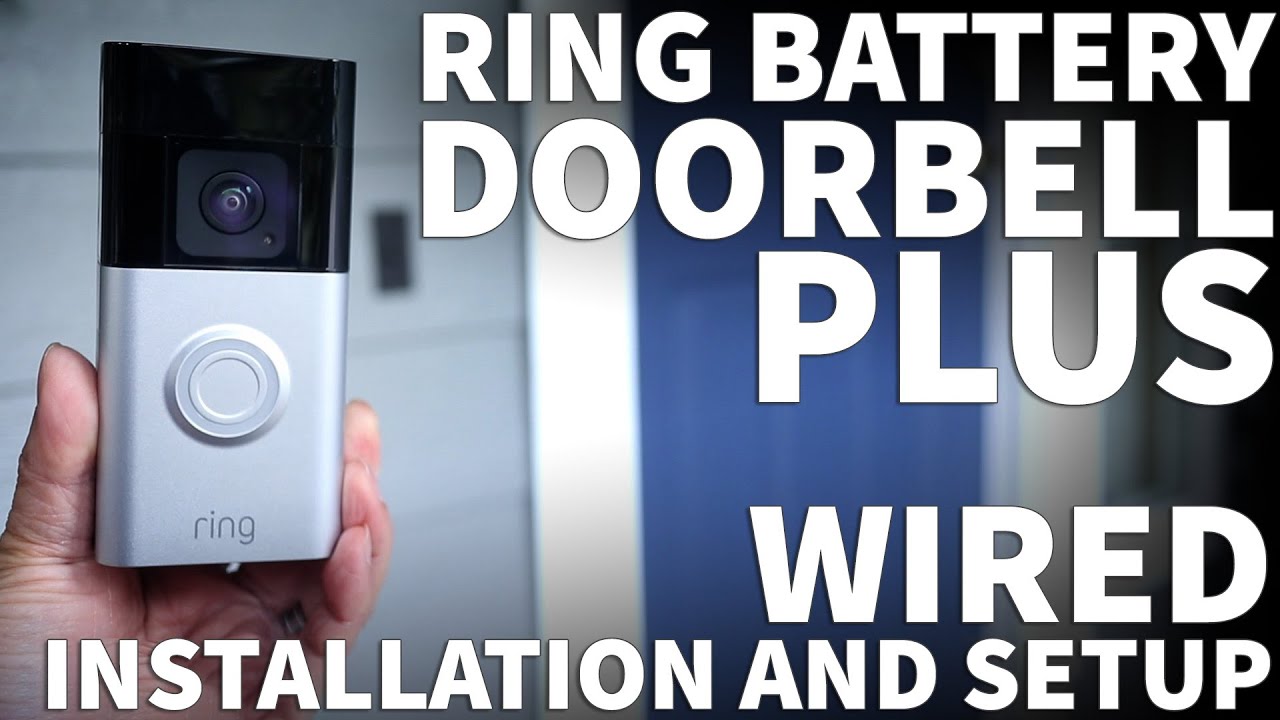
Ring Doorbell Plus Installation DIY – Ring Video Doorbell Wired Installation with Existing Chime
Ring Battery Doorbell Plus: https://amzn.to/3TDfXi7
Ring Battery Doorbell Plus with Stick Up Camera: https://amzn.to/3TBT7HN
Ring Battery Plus Solar Charger: https://amzn.to/41CauKd
In this video I’m going to install the Ring Battery Doorbell Plus using the wired installation method. Once I have the Ring doorbell out of the box, I’m going to open the battery cover by lifting up from the bottom. Then I can remove the battery by pressing on the metal release tab. I’m doing this because I want to start charging my battery before going outside to install my doorbell. And you can tell it’s fully charged when you only see a single green light on the battery.
For the next step, I’m going to turn off power to my existing doorbell. Now I can remove the mounting screws from my existing doorbell. Once the mounting screws are out, pull the doorbell away from the wall to reveal the wires. At this point keep the hardware bags handy. They’re labelled A, B, C and D for easy reference. To release the wires just loosen the screws holding them onto the back of the doorbell. I’m using the angled mounting plate which I’ll place over the opening in the wall. Drill two holes at the top and bottom of the plate. To secure the mounting plate I’m using the long screws from Envelope C.
Now that the plate is on the wall I need to loosen the 2 wire screws on the back of the doorbell. At this point just simply connect the wires coming out of the wall. And it doesn’t matter which screw each wire is connected to. Now that it’s all wired up I’ll use 4 short screws from Envelope C to secure the doorbell to the mounting plate. If you’re not using the angled mounting plate then you could just secure just the doorbell directly to the wall using the 4 screw openings. The angled mounting plate is completely optional but I know I can remove it later if I find I don’t need it.
Ok now I’ll turn the power back on and I can test my interior door chime. Right now it’s working just like a normal doorbell. At this point it’s time to reinsert the fully charged battery. In a few seconds the lights around the button will start flashing. When you hear the musical tones and see the spinning lights the Ring doorbell is ready to be connected to a smartphone.
Now download and install the Ring app for iPhone or Android. When the app is first launched you’ll need to create an account if you don’t already have one. To start it asks for my personal information, email address and a password. To connect to the doorbell, first tap the Plus button in the app. On the next screen tap the Doorbells button. Now I need to scan the QR code on the doorbell itself. So I’m just going to pop off the cover and scan the code on the side. The app will then take me step-by-step through the entire setup process. The Ring doorbell may even update the firmware if needed. But once it’s done I can use my Ring app to fully access doorbell features.
Since I’m new to Ring, I have a 30 day trial to their subscription service. Right now I can view and save recordings as well as receive notifications. But once my trial is up I think all those features will go away and the Ring doorbell will only function as a regular doorbell. I might still be able to get a live view without a subscription but I won’t know until my trial expires. And that’s how you install and set up a Ring doorbell.
If this video was helpful please give me a thumbs up and hit the subscribe button to stay up to date on all my weekly videos.
Disclaimer: As an Amazon Associate I earn from qualifying purchases.
****Equipment I Use For My Videos****
Canon EOS M6: https://amzn.to/2pwQ0Vq
Canon EF-M 22mm f/2 Lens: https://amzn.to/31mLfLq
Tokina 11-16mm Wide Angle Lens: https://amzn.to/33TFaYH
Fotodiox EF to EOS M Lens Adapter: https://amzn.to/31u3AGq
Comica CVM-WM300A Wireless Microphones: https://amzn.to/31tbiAD
Aputure Amaran AL528W LED Light: https://amzn.to/2VRuwyK
Kamerar SD-1 Camera Slider: https://amzn.to/2VUB5Ax
AVermedia HDMI Game Capture Module: https://amzn.to/31phsSp


Best video demonstration on how to install the Ring Doorbell Plus.
I am very confused about the battery plus. There are 2 features people are after. The first as shown in this video is to use existing chime in the house so that it sounds when the ring is pressed. The other feature many people are after is for the existing transformer power to top up battery of the ring. I don’t see how both function can work together. Can ring battery draw power to top up battery while still sound a chime? I don’t see how this would work with only 2 wires and two terminals.
Yes, the benefit of wires is that it will trickle charge the battery so that you don’t have to recharge it that often, and since the chime is already connected to the same wires then you can simply use it as normal.
@smartalic5 hi I still have to be charging my battery did I do something wrong
1.23 that skew back plate triggered my OCD.
So you just skipped using the wall anchors???
Depends on the material you are screwing into. Not needed in this case.
It really doesn’t matter which wire goes to which screw?
Hi i have a question what transformers i used? Or can i used my old transformers or I need to upgrade my transformer? To even up the capacity the voltage thanks for your response.
On my Ring installation I didn’t have to change or install a transformer. I just wired up the Ring doorbell to the existing wires and it just worked.
Installed it the same way as you. Now my interior home doorbell won’t chime. Any input would help. Thanks
I watched a video on the Ring wired Pro. It has a power pack that installs directly to the existing chime box in home. Can I use one of these with my Ring wired Plus?
I have the same issue
@gr8dfender742did u fix it? I’m having the same problem
I decided against wiring it and bought a Ring Chime Box. It’s about the size of a cigarette pack. Plugs directly into a wall outlet and chimes when the Ring Camera button is pushed. About $50 at home depot
@gr8dfender742
That’s the proprietary crap that came when Amazon bought the company.
This Ring device is a solution looking for a problem. If you’re hardwiring, there’s no reason for battery-only power. If you lose power, your Internet and router are likely offline as well. Without connectivity, it stops recording as it can’t upload, making this pointless. We got ours as a gift and literally can’t figure out why it gets wired into a live house circuit for electricity only to still charge a weak battery. Normal home already has a hardwired doorbell, adding a battery that won’t matter if power is out is beyond stupid.
Although I do agree that it is stupid that it needs the battery to turn on video capabilities, the true benefits of the battery are for those with a Ring home alarm system. The hub for the alarm system has a backup battery installed and built in router. So in the situation that you lose power and internet, all ring devices with a battery rely on the battery for power and then connect to the backup wifi from the alarm hub. This way motion events are still recorded and all devices continue operating.
Two words. Battery backup. Who doesn’t run their computer equipment without a backup?
Feel free to use the level included in the kit. Geez.
What voltage is required?
How much voltage wires should hai? Is it regular AC 120-240V or Transformer DC 12-24V?
RING SHOULD PAY YOU FOR THIS VIDEO! Their info was difficult as possible. This video was the best.
Really glad my Ring Doorbell tutorial was helpful!
@TheRenderQ agreed, this video is exactly what I was looking for. Just like subscribed and commented for engagement.
I completely agree! This video was really helpful. The ones from RING are 5-7 years old and don’t reflect the newer models and option like the angled mount. Thank you.
Good job mate. Well done.
Thanks! I’m glad you liked the video!
For voltage questions, On the Ring Battery Doorbell Plus box I have this is what it says
“Hardwired 8-24VAC, 50/60HZ, 100mA, 24VDC or 0.5A”
Hope that helps
Is the voltage just for the chime or does it keep the doorbell charged?
Thanks so much for your guidance. I’m installed and up and running. Very appreciated.
Glad my video helped you!
Thank you! Quick and to the point!
You’re welcome! Glad it was helpful and easy to follow!
Great video! I got everything set up, and the doorbell camera shows up on the Ring app on my phone and the app also lets me know when someone rang the bell – however, the chime is not working. Is there something else that I need to do?
Worst ring door bell is never ever by please dont spend money thief
This is the best installation video for ring bells 2024 and 2025 models. Thank you!
Great video. What drill bit did you use for the tiny hole? I’m drilling into brick.